# Quick How-To guide for transferring Link devices between AWS Accounts
The IOIO Live service supports AWS Link devices. Sometimes these devices needs to be moved between accounts, which for first time users could be a hassle. To easily move the devices between various AWS accounts simply follow the steps below.
Prerequisites:
- Link Device
- Access to an AWS Account which has the Link Device
- Access to an AWS Account in which the device will be trasnferred
- Account ID's for both AWS Accounts
Log into the AWS account to which the Link Device is associated.
Go to the MediaLive service.
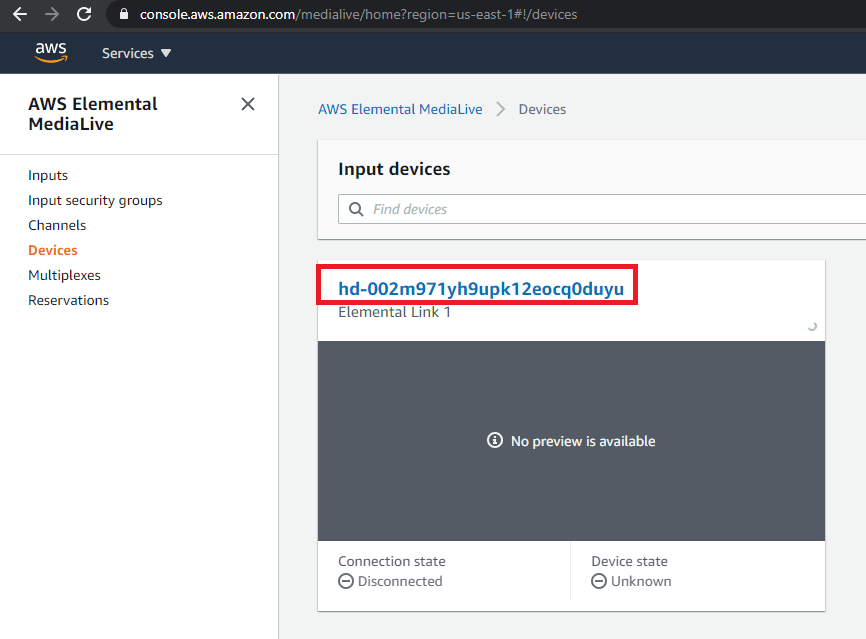
From the menu on the left click on Devices and click on the Device name to open it.
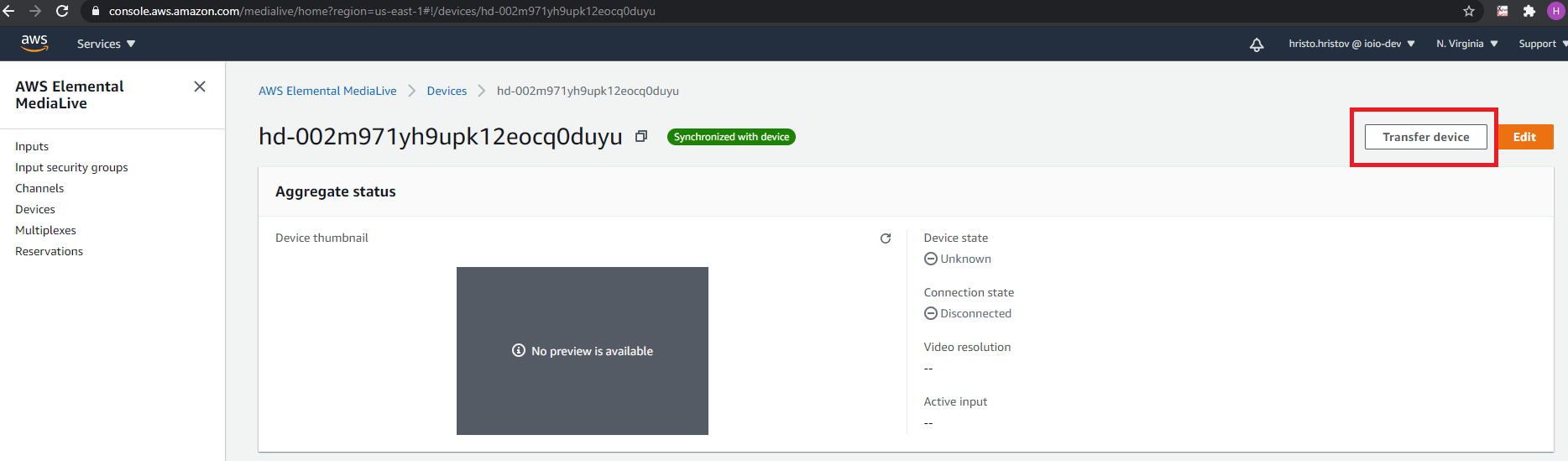
When the device is opened locate the Transfer device button in the upper right corner of the screen and click on it.
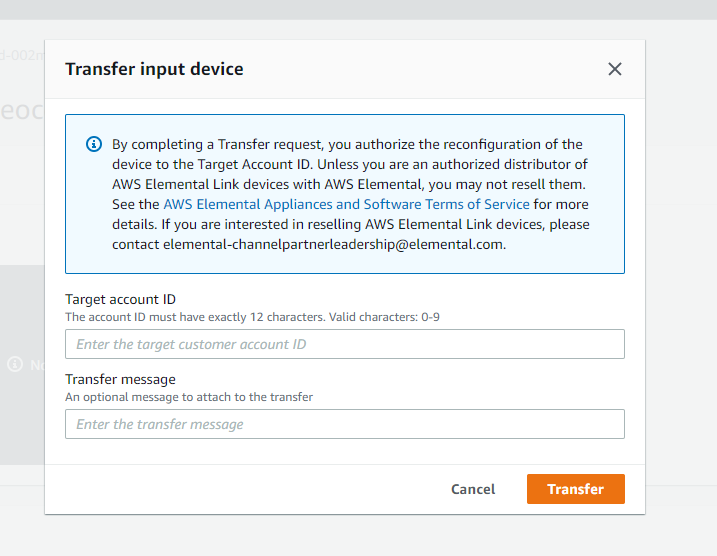
A dialog box will be opened which will allow you to enter an AWS Account ID under Target Account ID, Enter the Account ID to which you want to transfer the device, enter Transfer Message and click on the Transfer button.